Access Scopes - V2
This is information about Access Scopes for V2 API Clients. For V1 API Clients, please see Access Scopes (V1)
Introduction
When an API client is created, it is assigned a set of access scopes. These scopes define the level of access that the API client has to the data in a user's account. This ensures that the API client only has access to the data and operations that are necessary for the integration, and that sensitive data is not exposed unnecessarily.
Client Access Scopes
When you create an API client in the Developer Portal, you can select the access scopes that you want to be allowed to request for your integration. The scopes permitted will depend on the type of integration you are building and the data you need to access.
When requesting a token using your K-Series OAuth client, you will only be able to request the access scopes that your API client has been granted permission to request.
If you need additional scopes for your API Client, you can make a request in the Developer Portal.
List of Access Scopes
Each scope corresponds to a specific set of API endpoints and operations that the client can perform.
See the table below for the full list of access scopes
| Scope | Description |
|---|---|
orders-api | Read business information, floors, menus, discounts, and production instructions. Configure webhooks. Read and write orders and payments. Read Rich Item data. |
financial-api | Read financial data. |
items | Read and write items. |
propertymanagement | Read and write Property Management System configurations. |
staff-api | Read staff and shift details. Configure webhooks. |
reservation-*** | Platform reservations scope. The *** will be replaced by the platform-code of your reservation platform. |
reservations-api | Configure legacy reservation integrations. Note: This API will eventually be deprecated in favour of the new Reservations for Platforms API. More information on the new reservations workflows can be found in the Integration Guide. |
offline_access | Request offline access to the API. This allows your application to access the API on behalf of the user even when they are not actively using your application. See Offline Access for more information. |
Requesting Access Scopes
To request access to a specific scope during the authorization flow, you must include the scope(s) in the scope parameter of the authorization request URL.
If requesting multiple scopes, they should be space delimited and URL encoded.
Authorization URL Example:
https://api.lsk.lightspeed.app/oauth/authorize?response_type=code&client_id={{YOUR_CLIENT_ID}}&redirect_uri={{YOUR_REDIRECT_URI}}&scope=financial-api%20orders-api
When the user clicks on the authorization URL, they will be redirected to the Lightspeed login page. After logging in, they will be prompted to agree to grant the requested scopes.
Consent Screen Example:
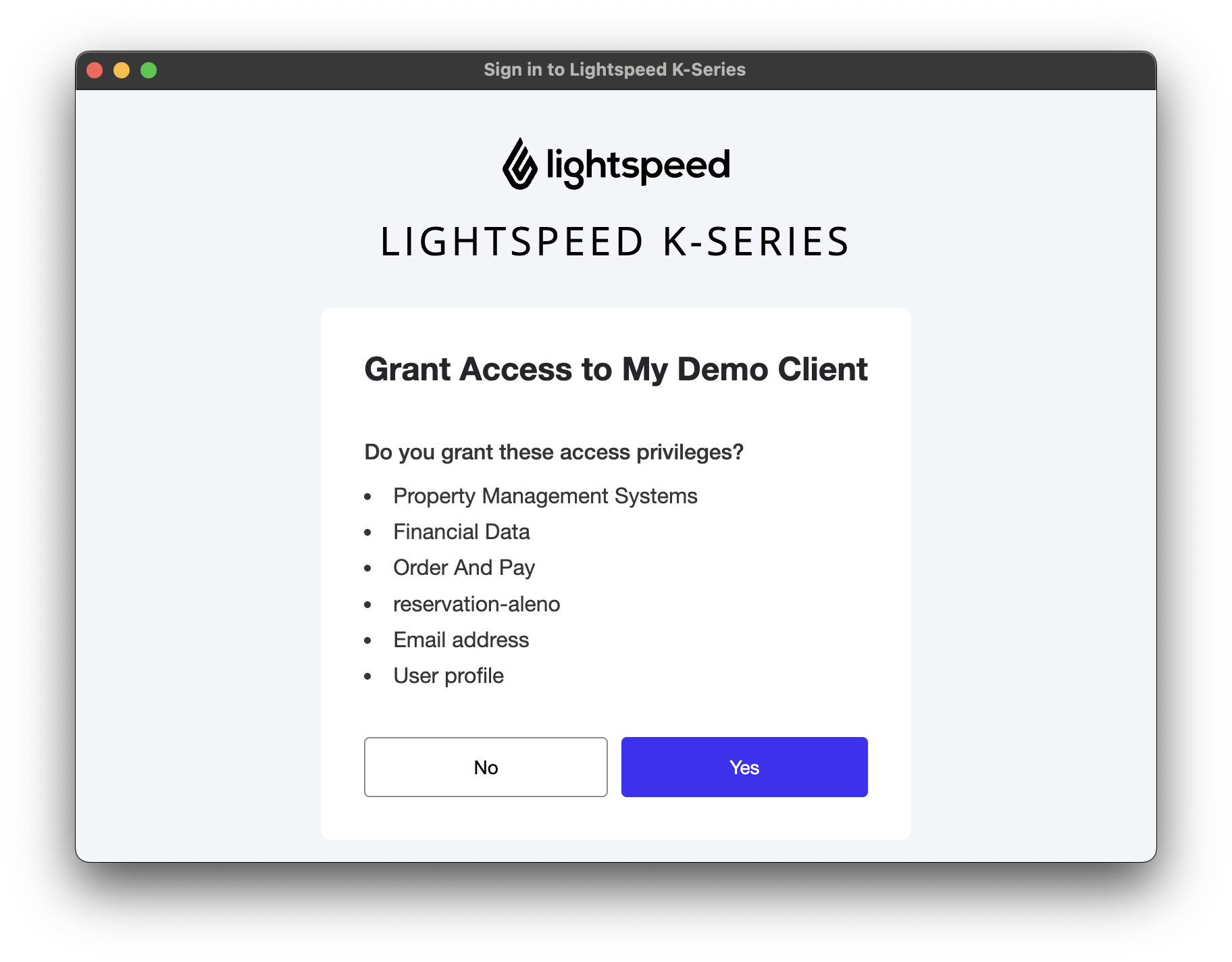
All clients will automatically request User Profile and Email address scopes, in addition to the scopes specified.
Offline Access
To request offline access to the API, include the offline_access scope in the authorization request. This allows your application to access the API on behalf of the user, even when they are not actively using your application.
When offline access is granted, the refresh token has a longer life. This means the application will not need to refresh the access token as frequently, or require the user to reauthorize the application every time it needs to access the API.